
Edit global content in a component + Claude AI in Webflow
Digidop's newsletter from February 28, 2026.
Welcome to the Digidop newsletter. Once again this week, we're bringing you the best news from the world of the web — and the Webflow ecosystem.
On the program:
Edit global content in a component as a Marketer
Claude AI in Webflow
Safe triangles to improve the UX of dropdowns
New Webflow features
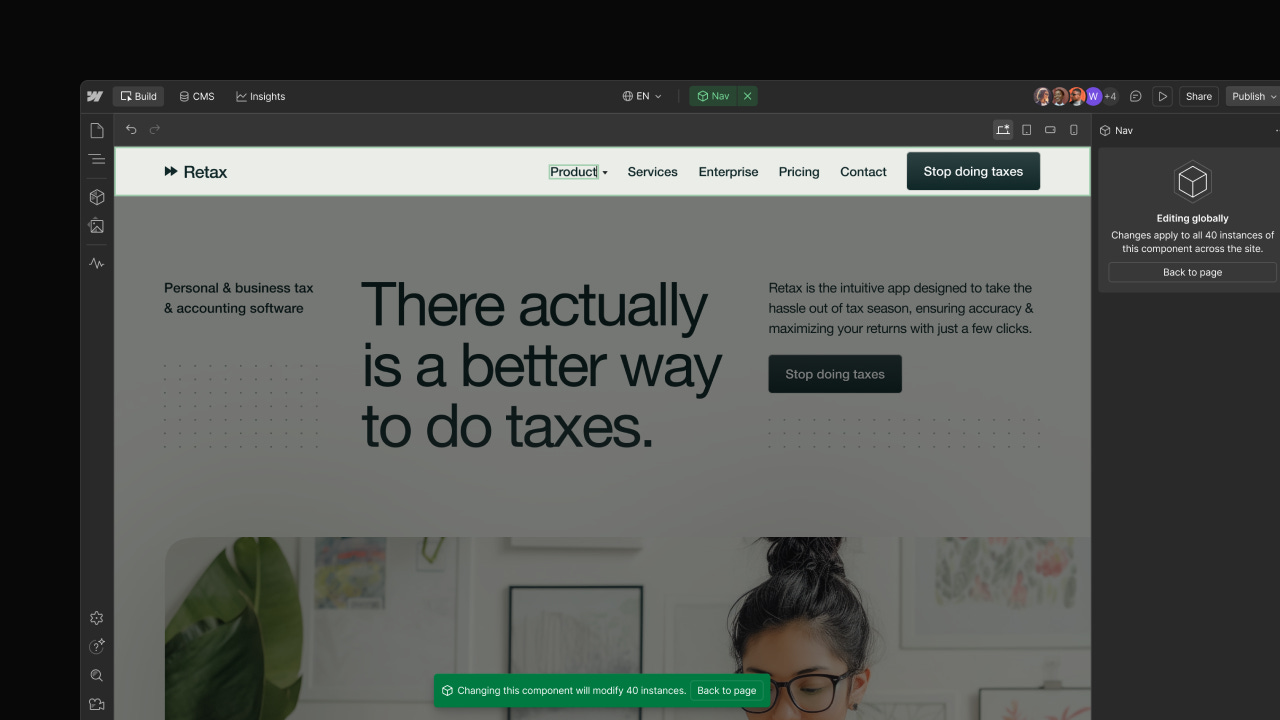
Edit global content in a component as a Marketer — marketers and content editors can now edit global content (not linked to properties) within components; a very useful feature.
Bulk Library updates — updates from a source Library can now be distributed to multiple sites in bulk, without requiring manual acceptance at each site.
Guide AI with custom prompts in Optimize — to steer AI-generated suggestions based on audience, tone, and intent.
Quick snaps
And last but not least, here's some of the content we've picked up this week:
You won’t believe how easy Claude AI makes Webflow — video from Flux Academy on the basics of what you can do by integrating Claude into a Webflow project via the MCP, now more accessible thanks to a recent Webflow update.
An SVG transition that lets your GSAP scroll animation swap content in secret — video from Codegrid on a fairly advanced creative SVG animation.
Better context menus with safe triangles — a very interesting article on “safe triangles,” a good way to optimize the UX of dropdowns inspired by Notions, Amazon, and others.
That's all for this week.
As always, we welcome your feedback. Reply to this e-mail to give us your opinion, tell us what you'd like to see in this newsletter or ask us any questions you may have.
Talk next week,
Lucas from Digidop